

“You will always be the brightest star in the night sky”
Our Memorial Star Urn offers limitless options for personalisation, ensuring your photo cremation urn is as unique as the life it honors.


Have Any Questions
How to Locate Your Loved One’s Star: A Complete Guide to the Star Finder 3D App
Finding a dedicated star in the vast, infinite night sky is a deeply moving way to stay connected to someone you love. To complement your Memorial Star Urn, we provide a seamless way to bridge the gap between Earth and the heavens. By following this comprehensive, step-by-step guide, you can use the STAR FINDER 3D app on your Apple or Android phone to navigate the cosmos and find your loved one's unique light.
Step 1.
Download and Install the Application

To begin your celestial journey, visit the Apple App Store or Google Play Store on your mobile device. Simply click the Apple App Store or Google Play buttons to download the app DON’T WORRY THE APP IS COMPLETELY FREE. This high-performance app uses advanced augmented reality (AR) technology to map the universe in real-time. Download and install the app to your smartphone or tablet to prepare for your first viewing.

Step 2.
Refer to Your Official International Star Registry Certificate
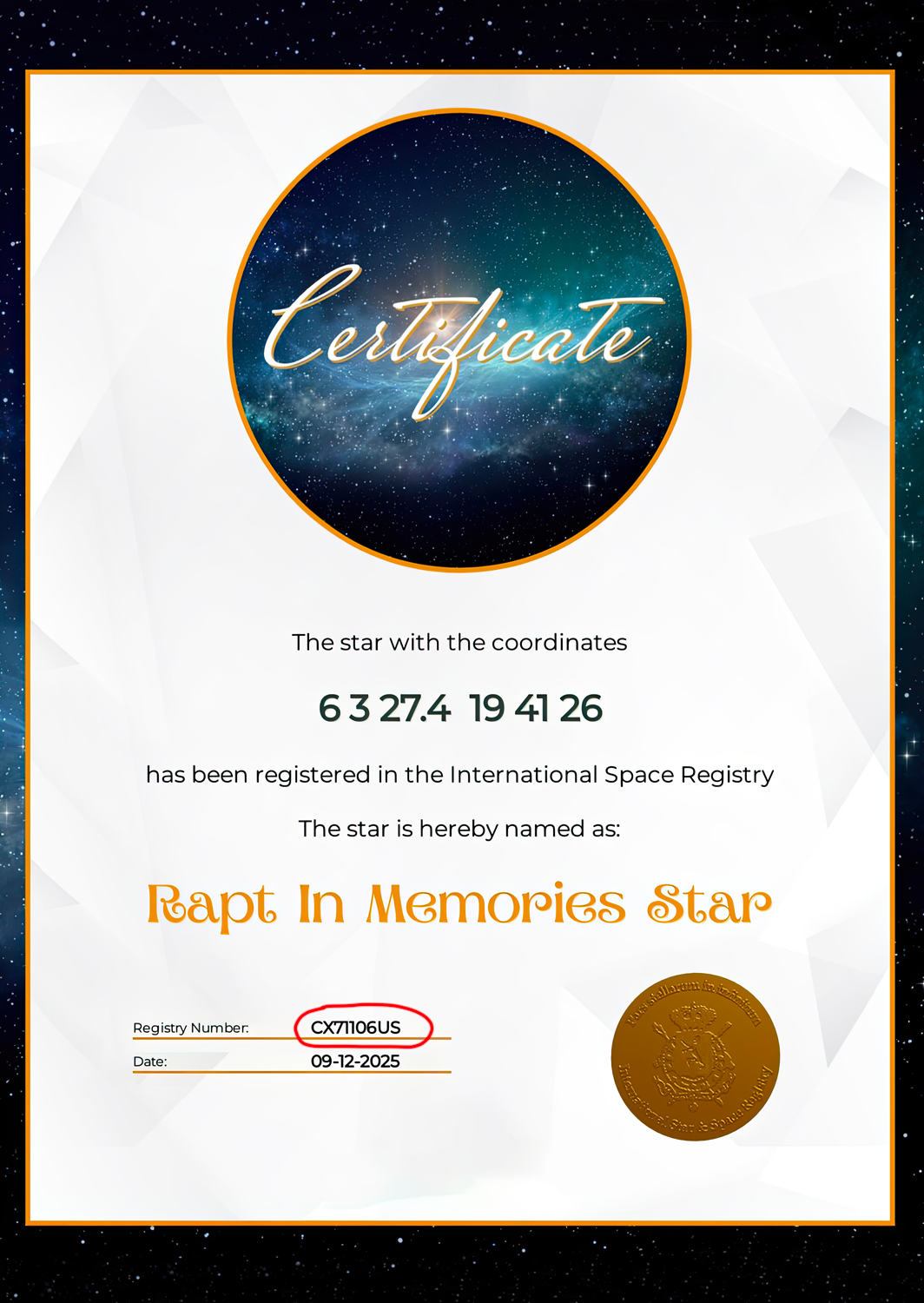
Every bespoke Memorial Star Urn is accompanied by an elegant, framed certificate of registration. This document is your map to your loved one’s memorial star. Locate the unique STAR REGISTRY NUMBER printed on your certificate (shown on the sample certificate circled in red). This special number is the key to unlocking your loved one's location in the night sky.
Once the STAR FINDER 3D app has downloaded, click on the app logo. You will now see the International Star Registry screen run for about 5 seconds.
Step 3.
Launch the Star Finder 3D app.
Step 4.
Search For Your Loved One’s Star.
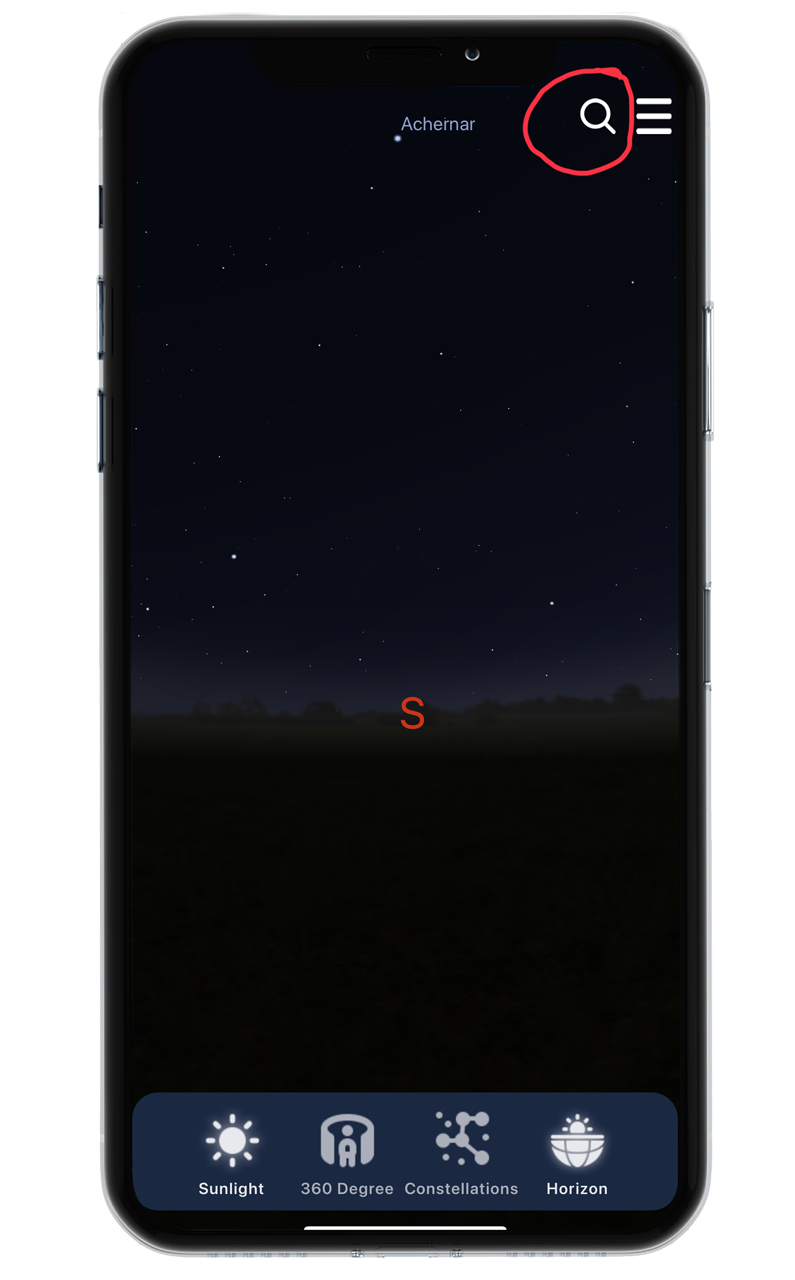
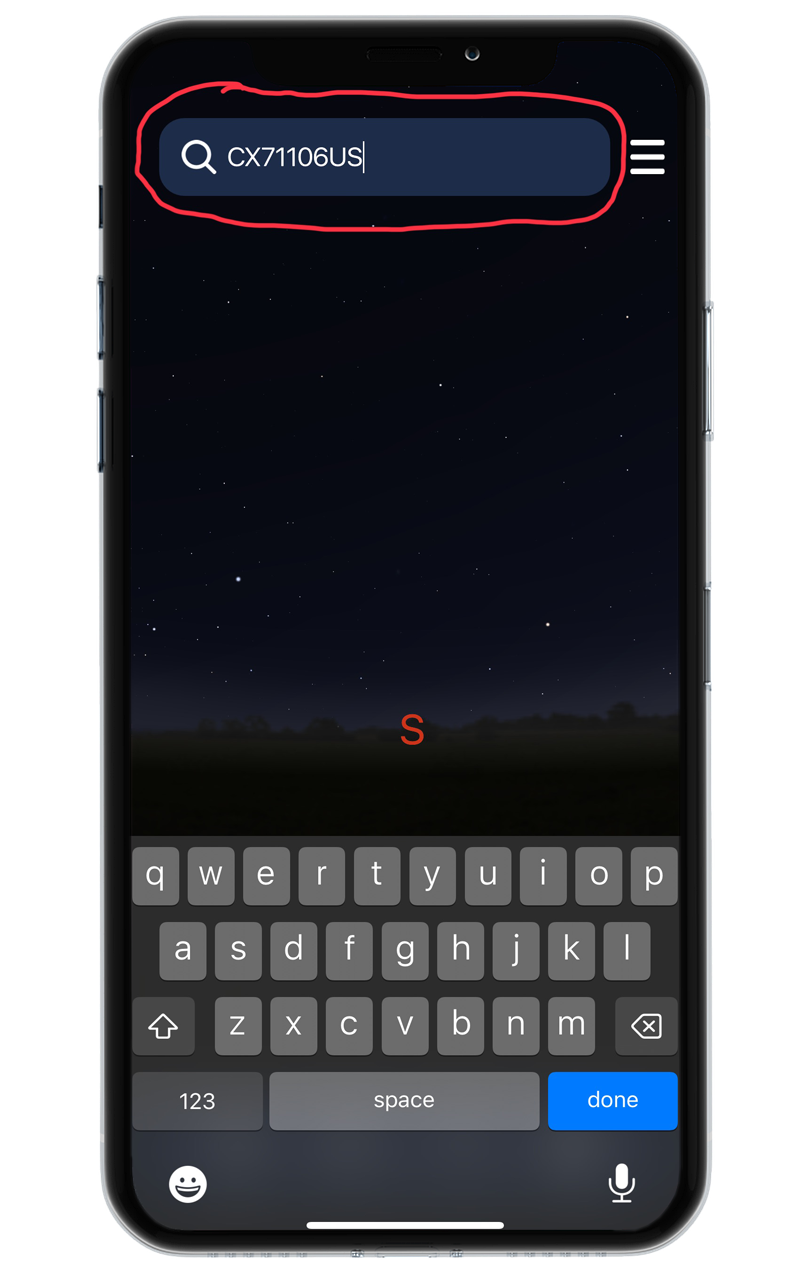
Within the app's interface, select the "Search" feature (circled in red). Enter the REGISTRY NUMBER found on your keepsake certificate AND CLICK DONE The app’s sophisticated database will instantly locate the specific star registered in your loved one’s name.
THE REGISTRY NUMBER SHOWN, IS AN EXAMPLE. TYPING THIS NUMBER IN THE SEARCH FEATURE WILL TAKE YOU TO THE RAPT IN MEMORIES STAR.
Step 5.
Located The Star and Zooming In.
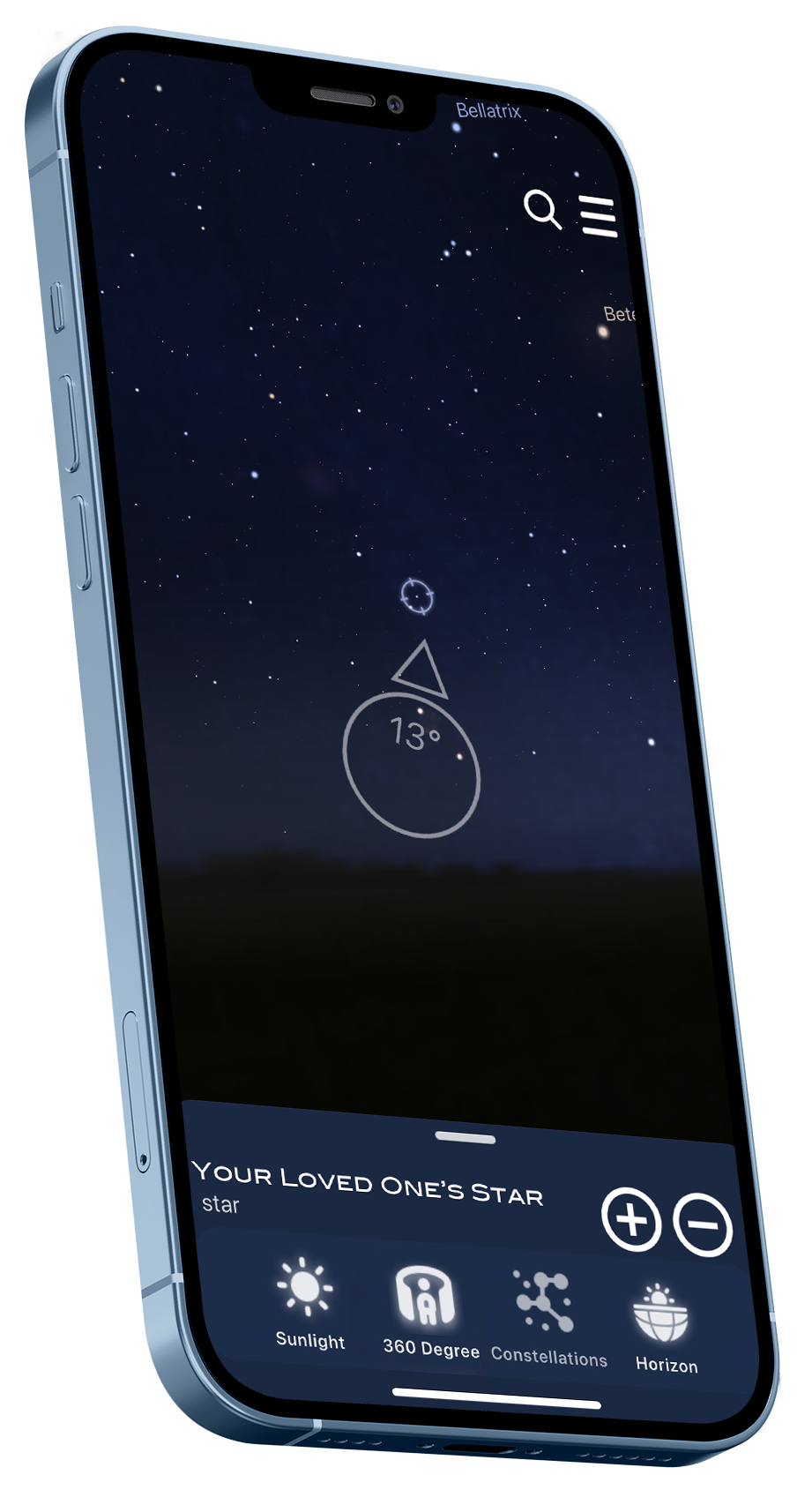
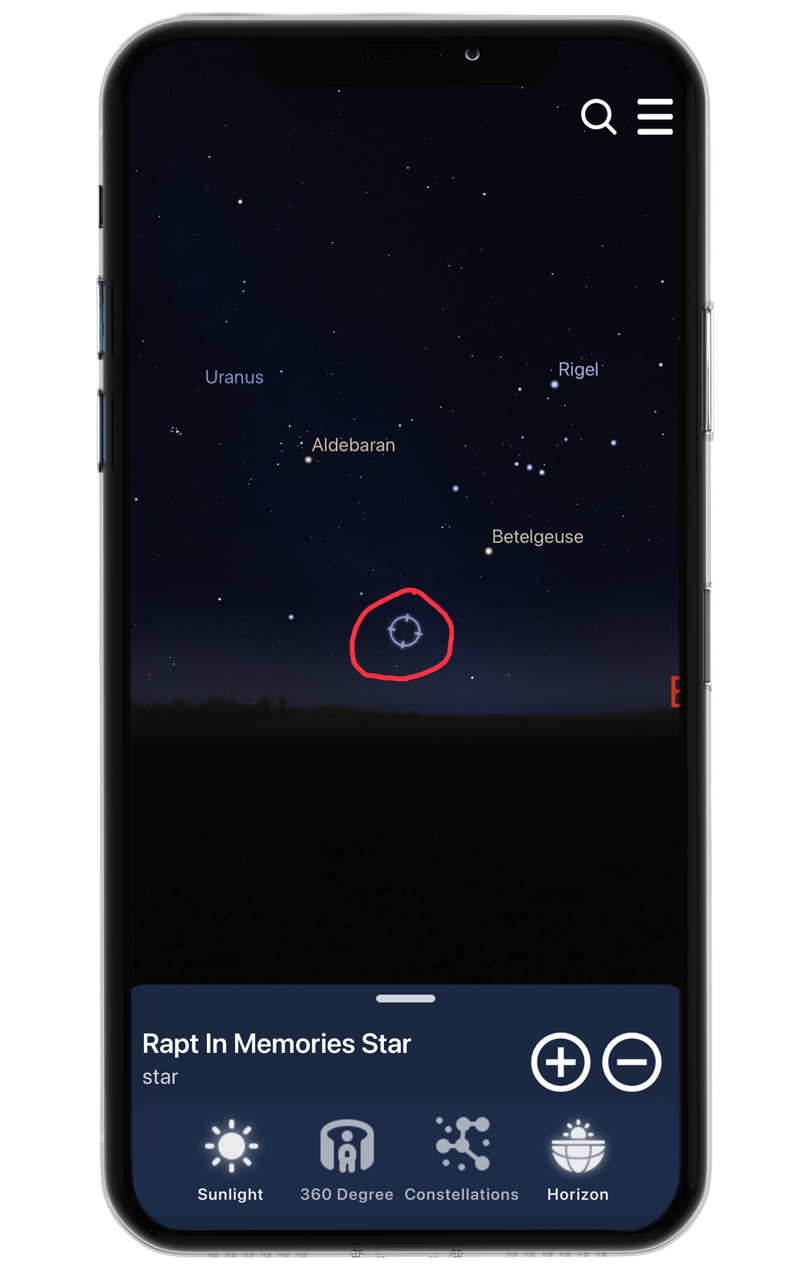
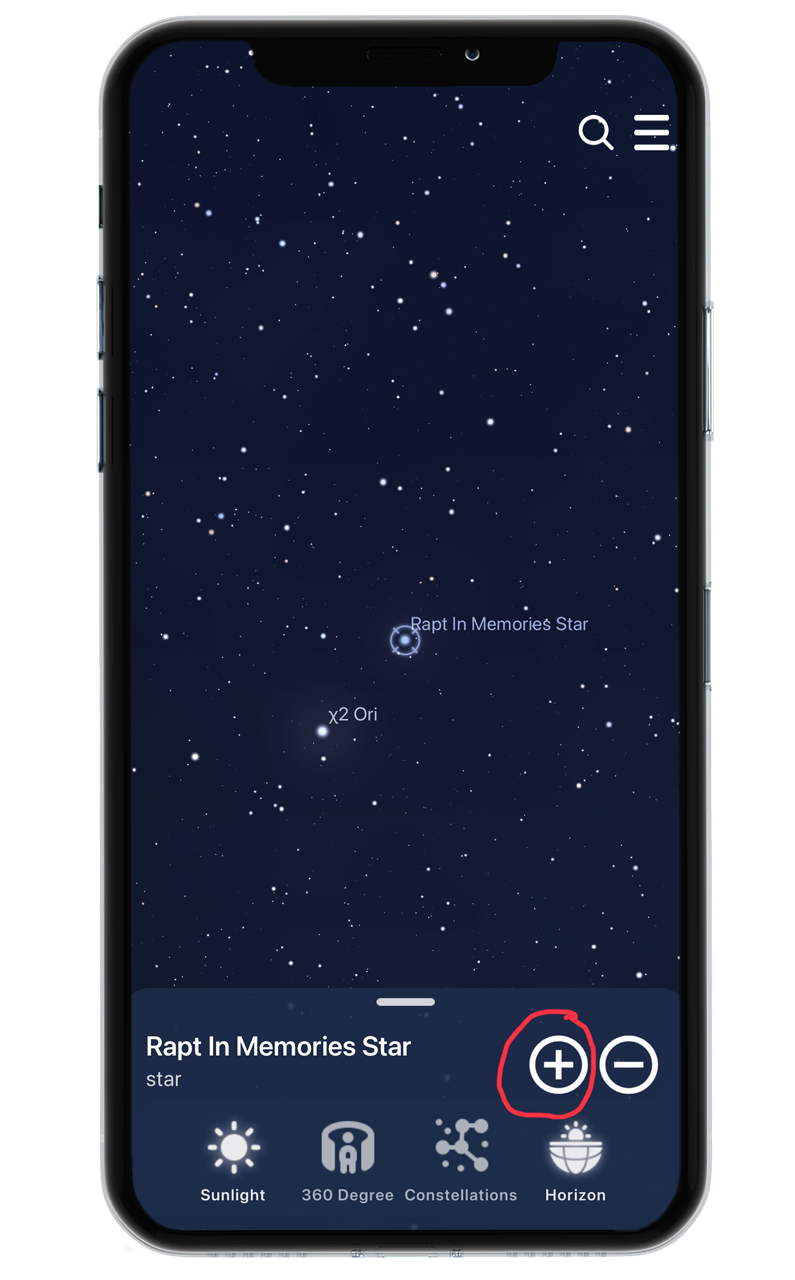
Once your loved one’s star has been located it will show you a SPINNING BLUE CIRCLE (shown in red in the first image). You can then click the + BUTTON, to zoom in on your loved one’s memorial star.
Step 6.
Navigate the Heavens with Augmented Reality.
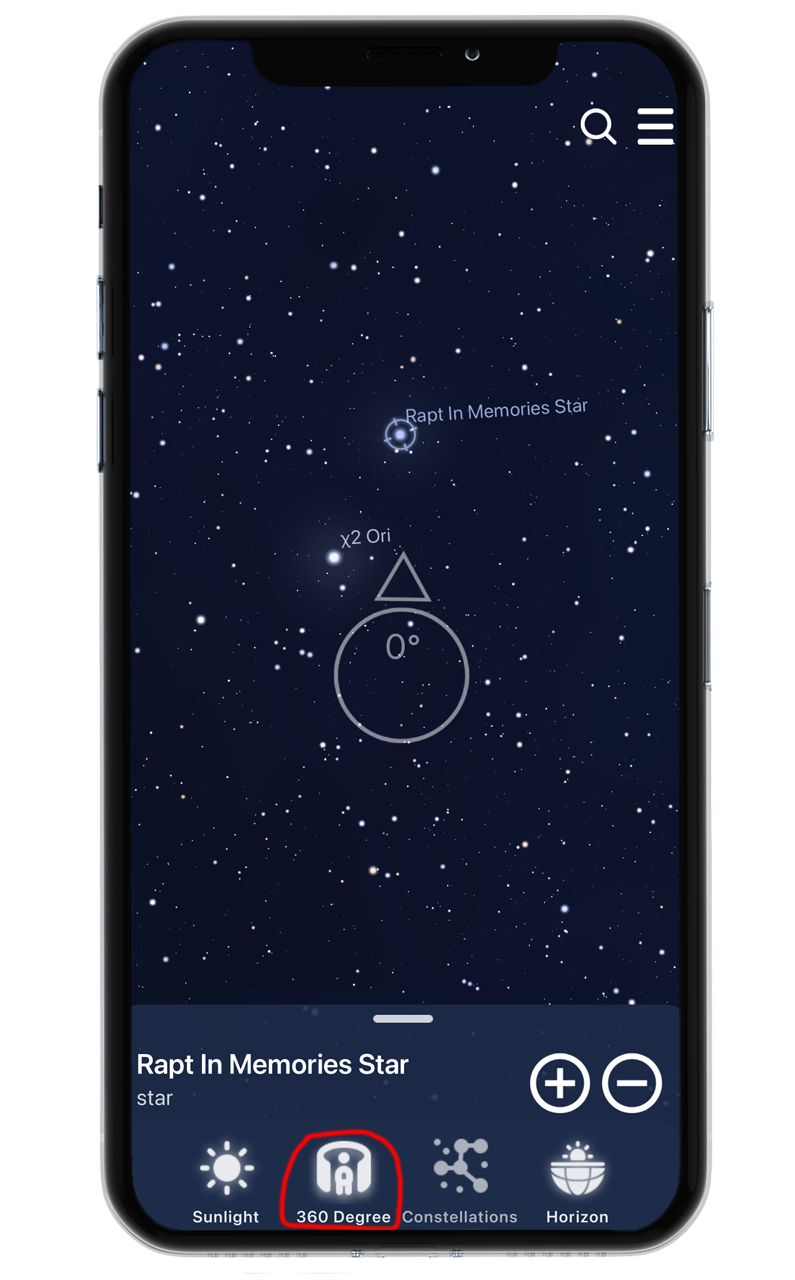
Once the star is identified, hold your device up toward the sky and PRESS THE 360 DEGREE ICON. The app utilises your phone’s internal gyroscope and compass to act as a digital window. As you move your phone, the on-screen display will sync with the actual position of the stars above you. Follow the directional arrow on top of the big circle on your screen until the app centers on your loved one's star. As you get closer to your loved one’s memorial star the degrees number inside the big circle will become 0.

This interactive personalisation makes your cremation urn more than a vessel; it becomes a living portal to the memory of your loved one.
Whether you are standing in your backyard on a clear night or looking from your living room on a cloudy evening, this digital keepsake ensures that your loved one’s celestial legacy is always visible, permanent, and right in the palm of your hand.


FRONT VIEW
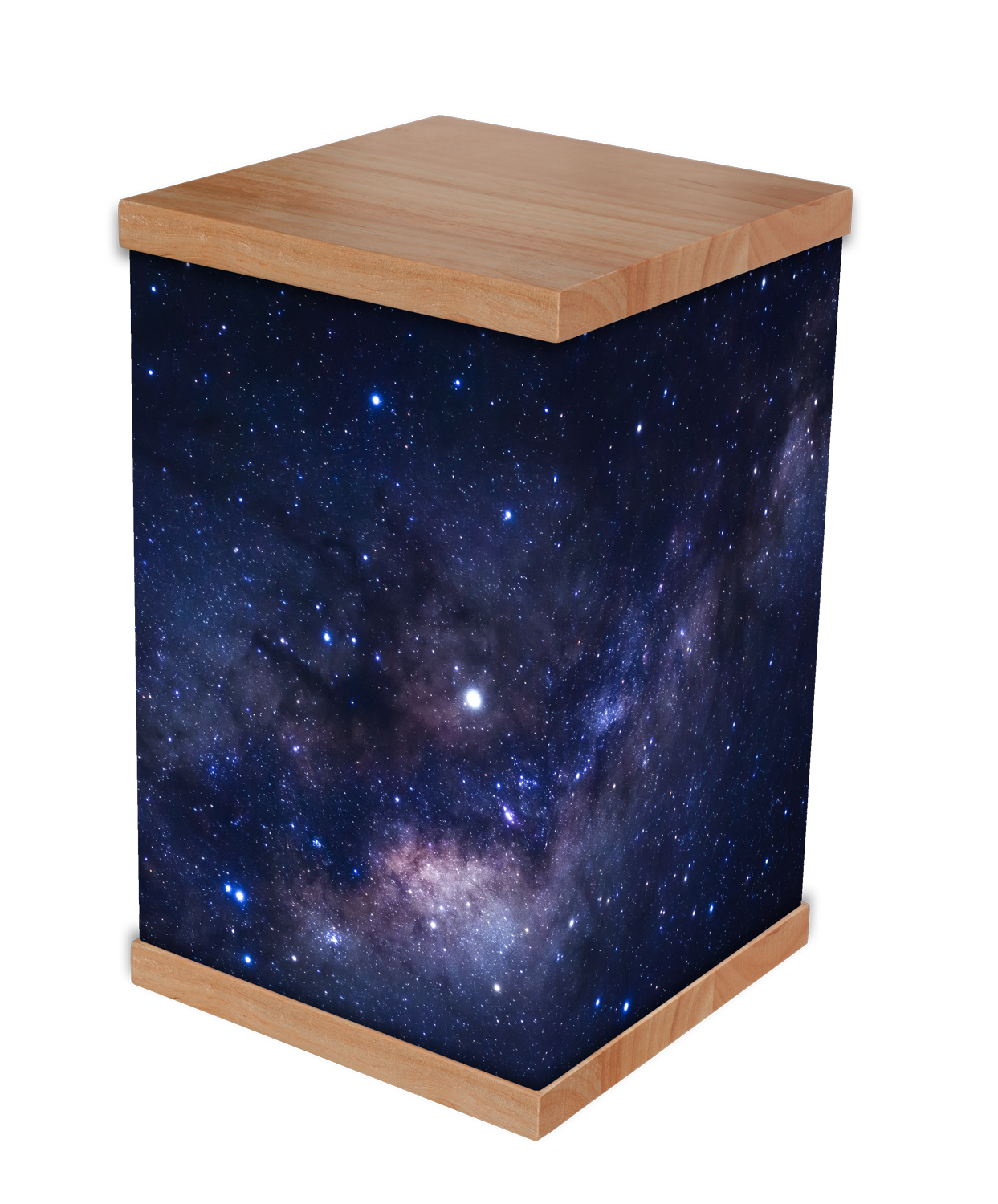
BACK VIEW